GPS-verified time tracking

Track time. Schedule smart. Pay right.

Workforce management for small businesses that run on shifts. Your team clocks in only when they're actually on site — and those verified hours flow straight through to payroll.

Free for 10 users (admins included) · No credit card · Cancel anytime

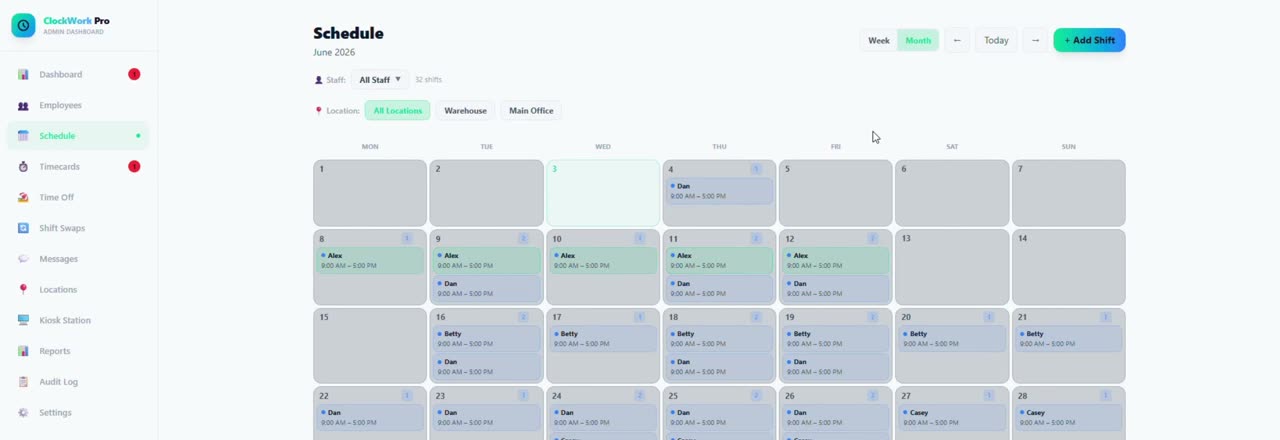
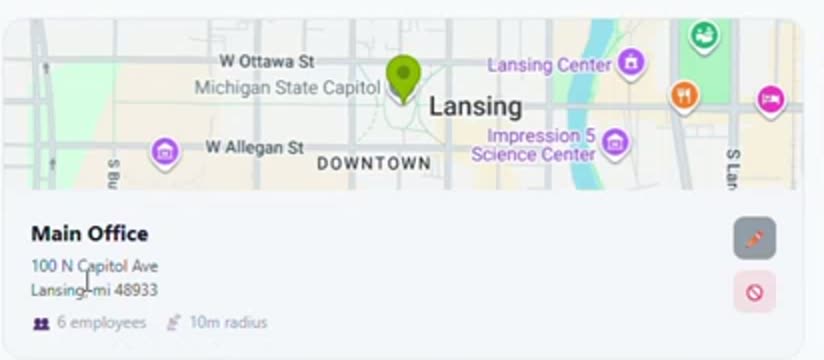
The ClockWork Pro schedule for June 2026: a month grid holding 32 shifts assigned to named staff, with filters for All Locations, Warehouse and Main Office. A ClockWork Pro location card for Main Office in Lansing, Michigan, showing its position on a map with the number of assigned employees and its geofence radius.

42.733555, −84.554082 · Main Office · 10 m geofence

5.0App Store rating
10Users free, admins included
$0Per-employee fees, ever
3iOS · Android · Web
How it works

From a tap on a phone to a payroll file.

Four steps, no spreadsheets in between. Every hour on the timecard can be traced back to a person, a place and a time.

STEP 01

Employee taps clock in

On their own phone, or on a shared tablet at the door.

STEP 02

We check they're on site

GPS is measured against your geofence. Off site, the clock doesn't start.

STEP 03

Hours land on the timecard

Breaks and overtime calculated automatically. Managers review and approve.

STEP 04

You export payroll

One click to CSV or PDF (Starter+), or QuickBooks and Gusto formats (Business). Then you're done for the week.

Proof on the ground

The clock only runs where the work is.

Draw a geofence around each location and ClockWork Pro checks every clock-in against it. No more punches from the parking lot, the couch, or a coworker's phone. If someone leaves mid-shift and forgets to clock out, we close the timecard and flag it for you rather than quietly paying for hours nobody worked.

Every location carries its own radius · departures detected automatically

The ClockWork Pro Locations screen listing two sites — Main Office in Lansing and a Warehouse on Bay Road in Saginaw — each shown on a map with its employee count and geofence radius.
Scheduling

Build the week once. Everyone sees it instantly.

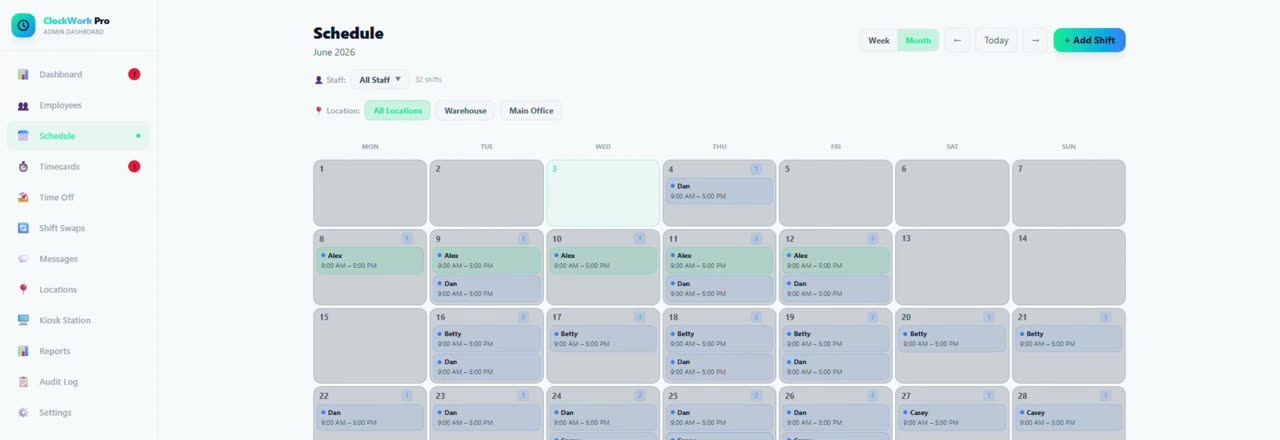
Assign shifts by person and location, repeat them daily or weekly, and colour-code every site so a month reads at a glance. Your team gets the schedule on their phones the moment you publish — and when someone needs cover, they can post the shift and a coworker can pick it up without a single phone call.

Week and month views · filter by staff or location · swaps built in

The ClockWork Pro schedule in week view, showing shifts laid out across days with start and end times for each assigned employee.
Timecards & payroll

The hours you approve are the hours you pay.

Timecards build themselves from verified clock-ins, with breaks deducted and overtime worked out at your weekly threshold. Punches are rounded to the minute, so the total on your screen is the total you'd get typing those times into your accounting software — no mystery minutes.

Export formatsCSV · PDF
AccountingQuickBooks · Gusto (Business)
OvertimeAutomatic at your threshold
Every editRecorded in the audit log (Business)
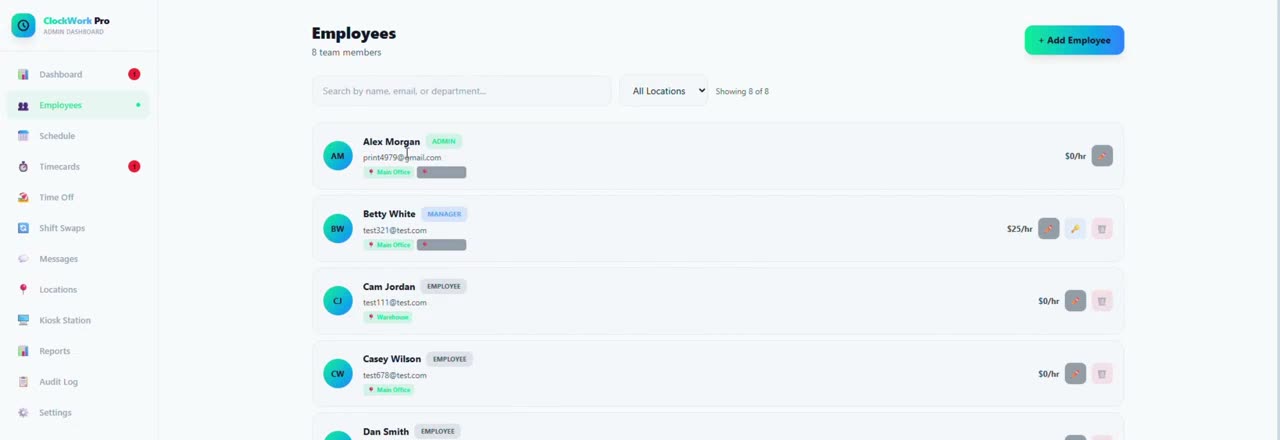
The ClockWork Pro Employees screen listing staff members with their photos, roles and hourly pay rates.
Kiosk mode

One tablet by the door, PINs instead of phones.

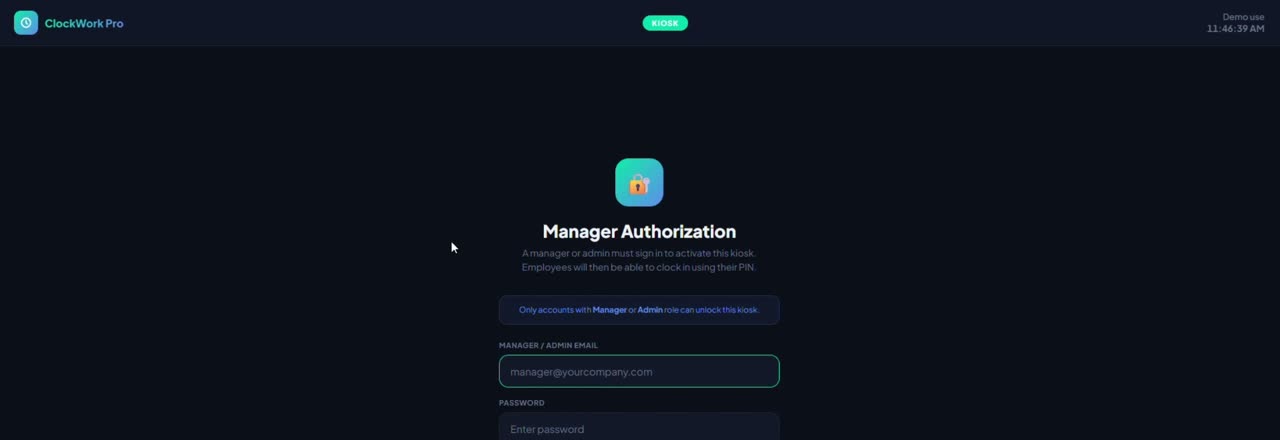
Not every crew wants to use their own phone — and not every job site should rely on one. Mount a tablet at the entrance, let a manager unlock it once, and your team clocks in and out with a personal PIN. Same verified hours, same timecards, no personal devices required.

The ClockWork Pro kiosk lock screen on a shared device, showing the Manager Authorization prompt before employee PIN entry.

And the rest of the day-to-day

Included across plans

Time off & PTOSTARTER+

Requests and approvals on Starter and up, PTO and sick balances you set and adjust manually on Business, and recurring unavailability on every plan.

Shift swapsNEWSTARTER+

Post a shift, let a coworker accept it, approve it in a tap. Open requests reach the whole team.

Messaging & tasksALL PLANS

Broadcasts, file attachments and assigned to-dos with due dates on every plan; direct and targeted messages on Starter and up.

Push notificationsSTARTER+

Shift reminders, approvals, forgotten clock-out warnings and new messages, straight to their phone.

Breaks & complianceBUSINESS

Paid and unpaid break types on every plan; meal and rest rules, and alerts when a required break is missed, on Business.

Reports & labor costBUSINESS

Basic hours reports on Starter; cost by employee and location, and labor as a percentage of sales, on Business.

Audit logBUSINESS

Every timecard edit, manual clock-in and approval recorded with who did it and when.

Roles & securityALL PLANS

Managers with per-location permissions on every plan, row-level data isolation between organizations, hosted on AWS.
RestaurantsRetailCleaning & janitorialConstructionHome healthWarehousesSalonsLandscapingHotelsGyms & fitness
The full tour

See ClockWork Pro in action

Six minutes, start to finish — GPS clock-in, scheduling, timecards and payroll.

Pricing

Simple, transparent pricing

Start free. Upgrade when you're ready. No hidden fees, no contracts.

Free

For small teams getting started
$0/mo
10 users incl. admins1 location
  • ✔ GPS clock-in with geofencing
  • ✔ Basic weekly schedule
  • ✔ Weekly timecards
  • ✔ Profile photos
  • ✔ Break system (paid & unpaid)
  • ✔ Team messaging
  • ✔ File attachments in messages
  • ✔ Overtime calculation (your weekly threshold)
  • ✔ Managers & manager permissions
  • ✕ Time off & PTO workflow
  • ✕ Payroll export
  • ✕ Push notifications
  • ✕ Multi-location
  • ✕ Kiosk mode
  • ✕ Reports & audit log
Get Started Free

Business

For operations that demand the best
$79/mo
50 users incl. admins10 locations
  • ✔ Everything in Starter, plus:
  • ✔ QuickBooks & Gusto payroll export
  • ✔ PTO & sick balances (set & adjusted manually)
  • ✔ Break compliance rules & missed-break alerts
  • ✔ Labor cost vs. sales (Square CSV import)
  • ✔ Kiosk mode (shared devices)
  • ✔ Full reports & analytics
  • ✔ Missed clock-out dashboard panel
  • ✔ Complete audit log
  • ✔ Dedicated account support
Start Free — Upgrade Anytime

Need more than 50 users? Contact us at sales@clockworkpro.app.

Save 2 months with annual billing — Starter $290/year, Business $790/year. No contracts, cancel anytime.

Multiple locations? They're included in your plan — we never charge per location. Compare us to Homebase →

Our Fair Pricing Pledge: one flat price per business — never per employee. No surprise price increases: we email you at least 30 days ahead, and a yearly plan's price never changes mid-year. Cancel anytime online from your dashboard. No phone calls, no hoops.

Reviews

What early users are saying

Real feedback from the people who use ClockWork Pro every day.

Rated 5.0 out of 5 on the App Store — every rating we've received is five stars.

★★★★★
"This app has made clocking in and out so much easier. It's simple to use, reliable, and saves me time every day."
Verified App Store Review
June 2026

Ready to take control of your workforce?

Start free in under two minutes. No contracts — cancel anytime.

Get Started Free →

Have a feature request? Email us — we're a small team that ships every week, and customer requests often go live within days.— The ClockWork Pro Team, Saginaw, Michigan

Download on the App Store
Get it on Google Play